


FXSOFT AI
Add a customer by taking a photo
Choose NIC or passport, take or upload a photo, and FXSOFT AI reads the document and fills in the customer form for you.
- Works for Sri Lankan NICs and for passports.
- Crop to the document before it is read, so the AI focuses on what matters.
- Names, ID numbers, and other details land in the right fields of the customer form.
- If a read comes back unclear, FXSOFT AI automatically double-checks it with a stronger model.
- You always review and edit the details before anything is saved.
Why it matters at the counter
- Less typing means fewer mistakes in names and ID numbers.
- Shorter queues — a new customer is registered in seconds, not minutes.
- Cleaner records: ID numbers are matched exactly against the sanction lists, so accuracy here protects you later.
The customer profile
Everything you need to know your customer
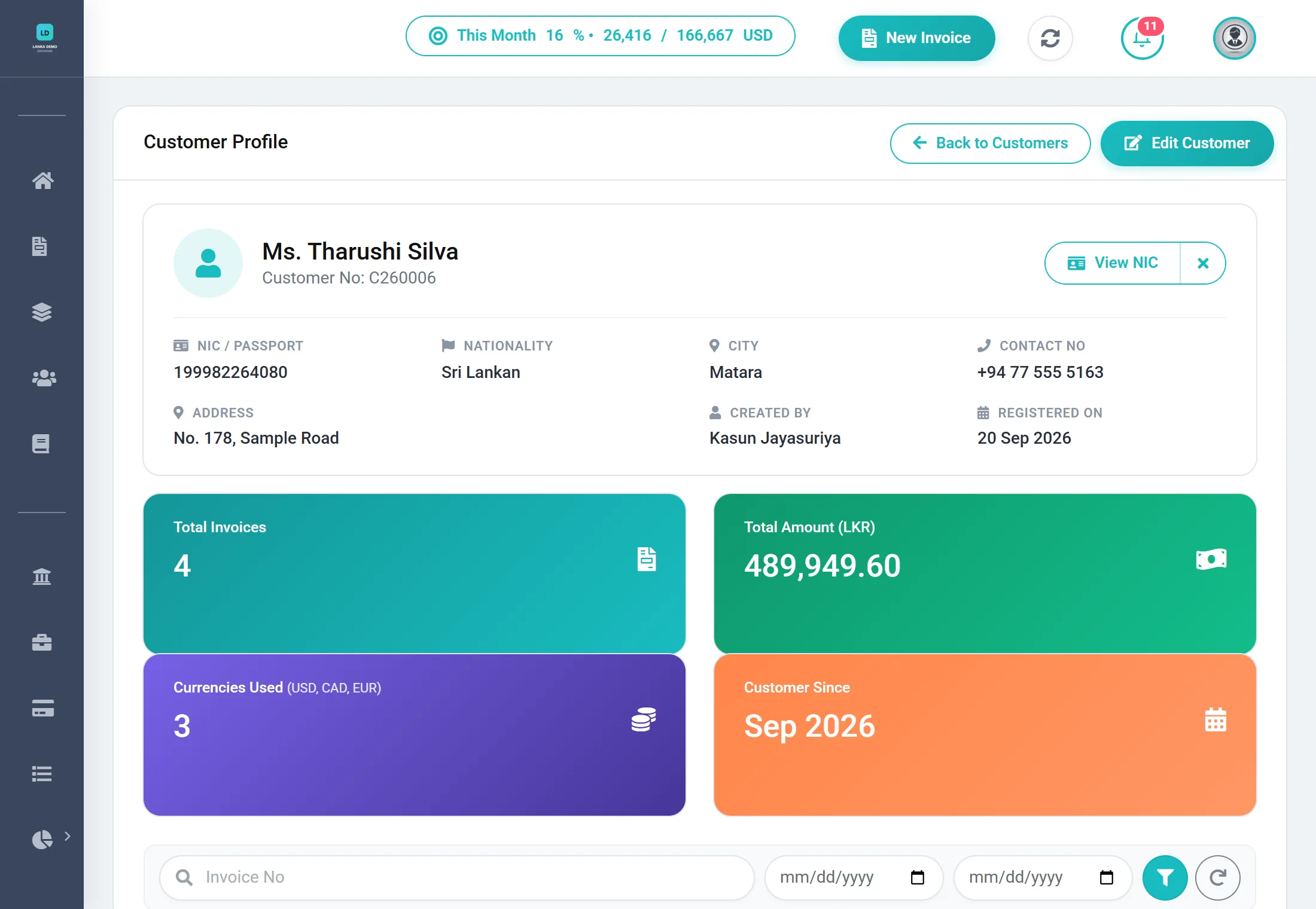
One record per customer, ready for the counter, for screening, and for an audit. It is built around what the FIU's CDD Rules ask you to identify and keep: the customer's name as on their ID, photo-ID details, address, contact and nationality, with a copy of the ID itself.
Identity
Title, first and last name, and nationality — the details Central Bank reporting needs.
Contact & address
Two address lines, city, and contact number, kept with the customer and included in your Central Bank file.
ID numbers
NIC, passport, and driving licence numbers. NIC and passport numbers are matched exactly against the sanction lists.
Document copies
Keep copies of the NIC, passport, and driving licence on the profile and open them with one click.
Transaction history
See every invoice for a customer in one place, instead of searching through registers.
Screening record
Each customer is screened when added, edited, and selected on an invoice — and every scan is logged.
How screening worksWhy the ID copy matters. When the FIU wrote to Restricted Dealers in Circular 3/2024, the gaps it named included failing to obtain a copy of the customer's identification document. The CDD Rules require a copy for money-changing transactions above Rs. 200,000, and the records must be kept for at least six years. FXSOFT keeps the copy on the customer's profile, where your team and an examiner can find it in one click.
From customer to invoice in one flow. At the counter, search for the customer, select them, and FXSOFT screens them against the sanction lists as part of the same step — then carry straight on to the invoice, with the CDD form appearing automatically if the amount requires it.
Ready to see FXSOFT in action?
Watching FXSOFT handle a real multi-currency invoice, an automatic sanction screen, and a Central Bank report in minutes says more than any brochure. Book a live demo and see exactly how much manual work you can hand off.